
Microsoft Teams RoomsMicrosoft Teams Rooms, built for better meetings
Teams Rooms transforms physical conference spaces into collaboration-first environments: wide-angle cameras show the whole room, spatial audio lets remote attendees hear everyone equally, and Copilot AI surfaces key discussions in real-time.

Why better meeting rooms matter
Hybrid meetings are here to stay, but many traditional conference rooms were never designed for the hybrid era. Outdated setups lead to delays and disengagement. Remote colleagues often struggle to see who is speaking or hear what’s being said, while people in the room juggle dongles, speakerphones, or multiple apps just to get a meeting started.
When meetings feel difficult, people lose confidence in the space. Time is wasted, decisions slow down, and collaboration suffers.

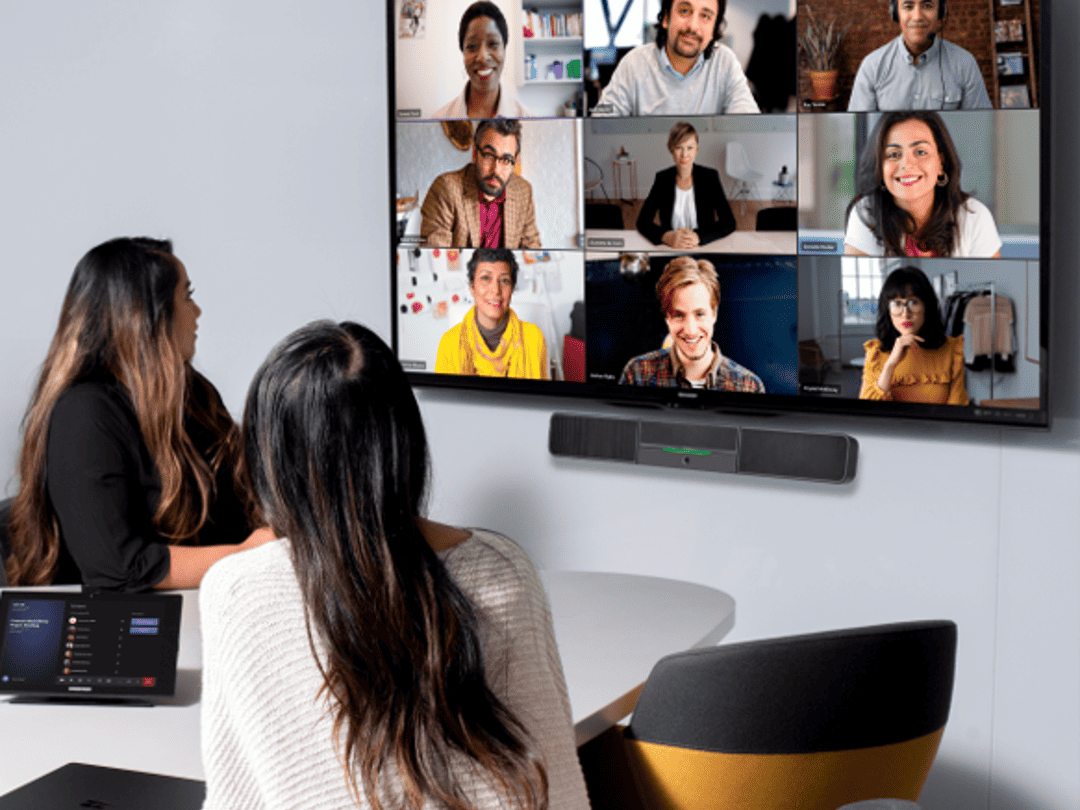
Designed for hybrid meetings, not adapted to them
Microsoft Teams Rooms remove these everyday frustrations by bringing the full Teams experience into your meeting spaces. With a purpose-built room setup, meetings start with a single tap, not a technical warm-up.
Teams Rooms are designed specifically for shared spaces. On-site participants can launch meetings instantly, share content wirelessly or with a single cable, and use features like live captions, digital whiteboards, and intelligent camera framing. The result is a meeting where remote participants are not an afterthought, but active contributors with a clear view of the room and the conversation.
What Teams Rooms deliver day to day
In practical terms, Microsoft Teams Rooms improve meetings by removing friction and standardising the experience across every space. Key capabilities include:
- One-touch join for scheduled meetings, straight from the room console
- High-quality audio and video designed for group spaces, not laptops
- Wireless and wired content sharing without adapters or workarounds
- Inclusive features such as live captions and intelligent camera views
- Consistent room experiences across small rooms, meeting spaces, and boardrooms
Together, these features help meetings start on time, run smoothly, and include everyone, regardless of where they are joining from.


Built into the tools your teams already use
Teams Rooms are part of the Microsoft 365 ecosystem that most organisations already rely on for email, calendars, and collaboration. Meeting rooms sync directly with Outlook and Teams, so when a space is booked, the meeting appears automatically on the room’s touch panel, ready to join at the scheduled time.
This tight integration reduces the learning curve and improves adoption, because the experience feels familiar from day one. Teams Rooms also support joining third-party meetings on platforms such as Zoom and Webex, giving organisations the flexibility to work with customers, partners, and suppliers using different tools.
A practical approach to modern meeting spaces
SCC provides end-to-end Microsoft Teams Rooms solutions to help organisations modernise their meeting spaces with confidence. We support the full journey, from early-stage design and equipment selection through to installation, integration, and ongoing support.
Every organisation’s meeting spaces are different. We tailor each room to its purpose, whether that is a small focus pod or a large boardroom, and ensure the technology works reliably behind the scenes. That way, your teams can focus on collaboration, not the equipment.

You may also like


Speak to a specialist
Teams Rooms deployments vary widely: some organisations need smart audio and video in large boardrooms, others need presence sensing and occupancy insights across dozens of smaller meeting spaces. Our specialists will assess your meeting culture, space utilisation, and hybrid work model to design a Teams Rooms configuration that improves collaboration without over-specifying hardware. A conversation about making remote participants actual participants, not screen watchers.
